




Weather Maps: Boost Outdoor Safety with AI-Powered Forecasts
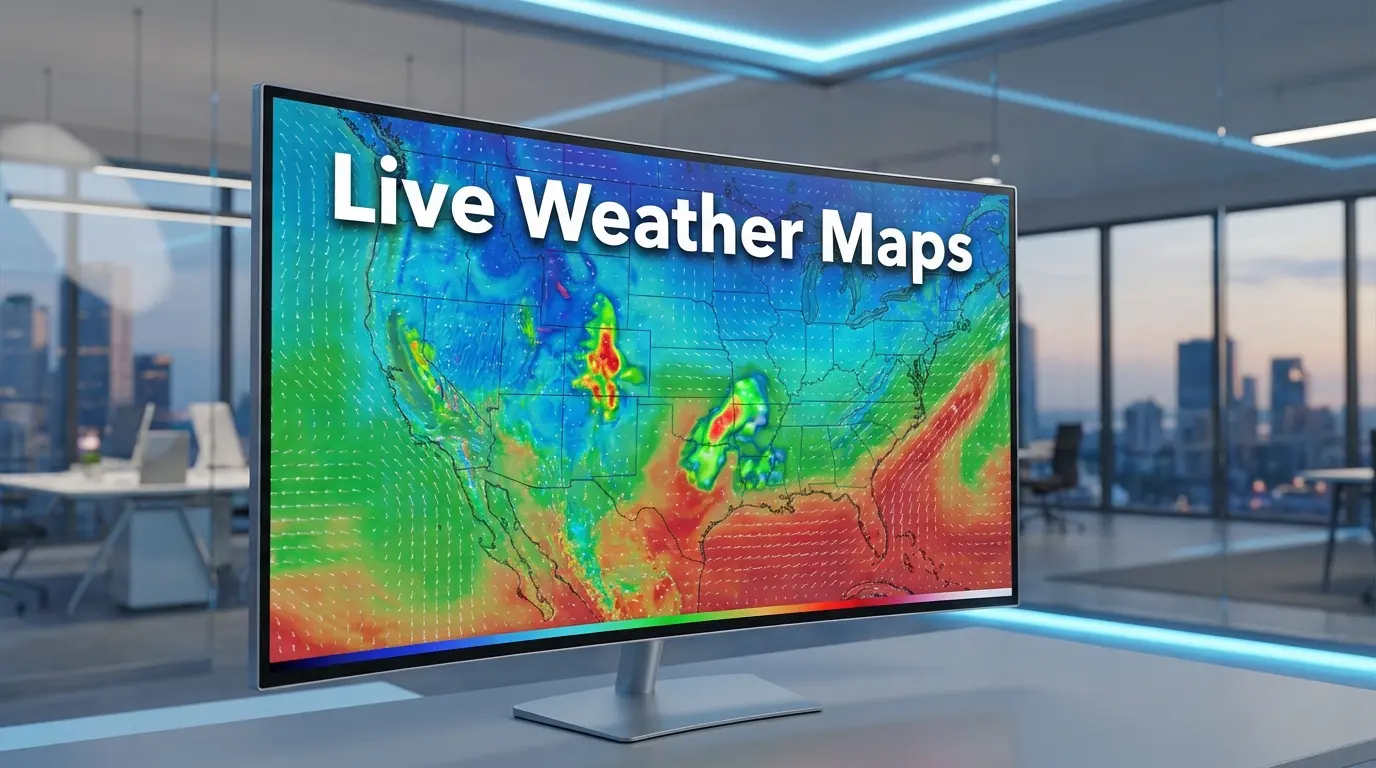
Master the art of reading weather maps with our deep-dive guide into interactive weather maps, live weather radar, and expert forecasting tools for perfect outdoor planning.
The Evolution of How We Track the Sky
There was a time, not too long ago, when checking the weather meant waiting for the 6:00 PM news or walking down the driveway to grab a damp newspaper. You relied on a single person in a suit pointing at a static board to tell you if your weekend hike was a go or a wash. Today, that world feels like ancient history. We carry high-powered meteorological stations in our pockets, capable of showing us exactly where a rain cell is located down to the city block. But as technology has advanced, a strange thing has happened: while we have more data than ever, many of us have actually become less skilled at truly understanding what the sky is telling us.
Relying on a simple “sun” or “cloud” icon on a smartphone app is convenient, but it often misses the nuance of moving fronts, pressure changes, and shifting wind patterns. If you spend any significant time outdoors—whether you are a skier waiting for that perfect powder day in the Sierra or a sailor watching for a squall—understanding weather maps is a foundational skill. It is the difference between being caught in a sudden downpour and knowing exactly when to head for cover. In this guide, we are going to move past the basic icons and look at the professional-grade tools and techniques that help you see the bigger picture.
Weather is a dynamic, living system. It does not exist in a vacuum, and a single temperature reading rarely tells the whole story. By learning to navigate interactive weather maps and live radar, you transition from a passive consumer of information to an active participant in your own environment. This shift is essential because, as any Tahoe local will tell you, if you do not like the weather, you just need to wait fifteen minutes. Being prepared for those fifteen minutes is what separates an amateur from an experienced adventurer.
The Problem with “Dumbed Down” Weather Apps
Most of us default to the native weather app that came pre-installed on our phones. They are beautiful, sleek, and eerily specific, sometimes telling you that rain will stop in exactly twelve minutes. However, these apps often represent the “dumbing down” of meteorology. They provide a conclusion without showing the work. When you see a 40% chance of rain, do you know if that means it will rain on 40% of the area, or if there is a 40% chance of a total washout? Most phone apps do not clarify this.
Furthermore, these apps are often highly volatile. Because they rely on automated models that update every few hours, the forecast can swing wildly between your morning coffee and your lunch break. A professional human forecaster looks at several different model runs to find a consistent trend before changing their tune. A basic app just jumps to the newest data point, leading to “forecast whiplash.” To get a better handle on things, we need to look at interactive weather maps that provide layers—satellite views, lightning detections, and isobar lines that show us the “why” behind the “what.”
Moving Beyond the Icon
To truly understand the forecast, you need to see the movement. High-pressure systems generally bring clear skies and stable air, while low-pressure systems are the engines behind storms and wind. When you look at a map and see those “H” and “L” symbols, you are looking at the heavy hitters of the atmosphere. Interactive maps allow you to toggle these layers, giving you a spatial understanding that a simple list of temperatures cannot provide.
Understanding Live Weather Radar and Precipitation Intensity
If you are already outside and the clouds start looking heavy, your best friend is live weather radar. Radar works by sending out microwave pulses that bounce off water droplets or ice crystals in the air. The more “stuff” there is in the air, the stronger the return signal. This is why radar maps use a color-coded system, usually ranging from light green (light mist or rain) to dark red or purple (heavy rain, hail, or intense thunderstorms).
One common mistake people make is looking at a static radar image. A single snapshot is useless. You need to “loop” the radar to see the direction and speed of the storm. If the storm cells are moving linearly, you can easily predict when they will hit your location. If they are “popping up” sporadically—often called convective activity—the weather is much more unpredictable. In these cases, even if the radar looks clear right now, a cell could develop directly over your head in minutes.
The Role of AI and Machine Learning in Modern Mapping
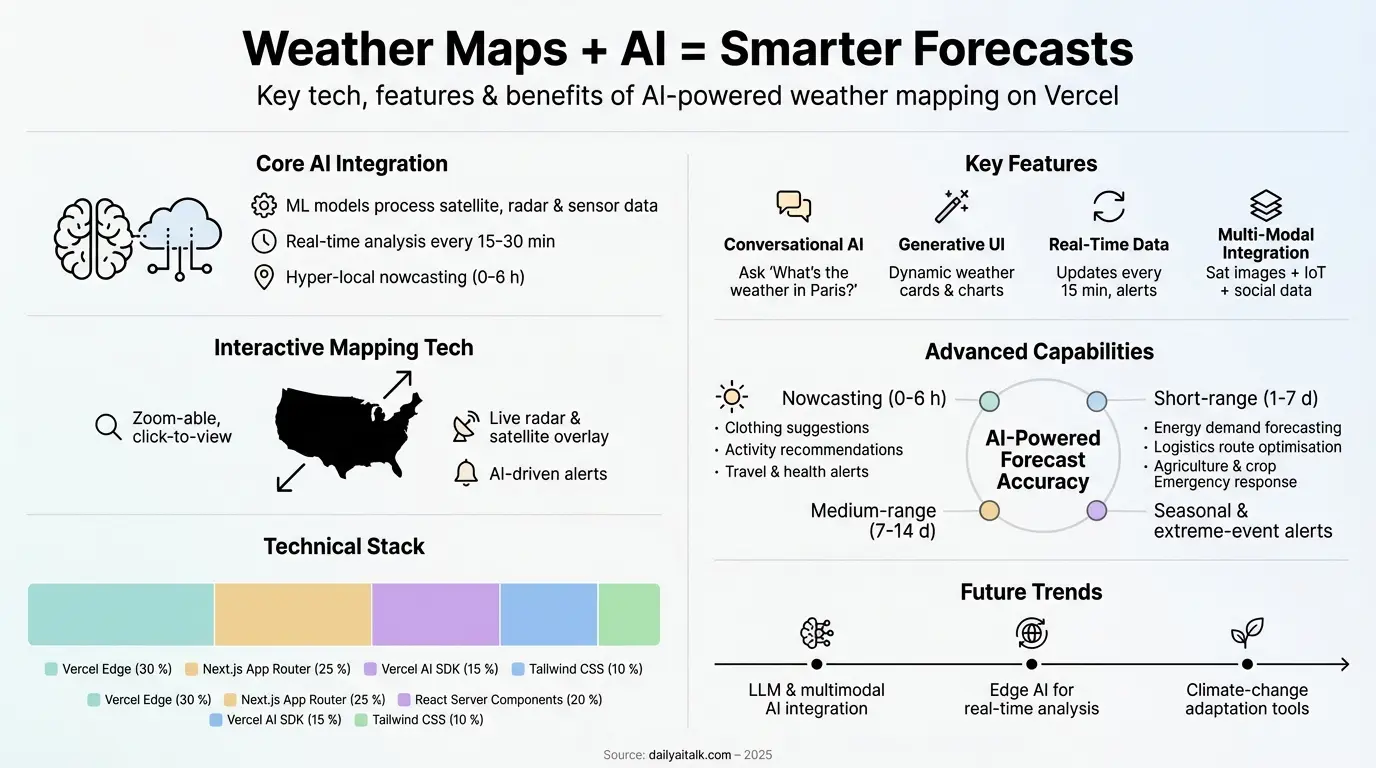
In recent years, the integration of Artificial Intelligence has revolutionized how weather data is processed. Platforms built on modern stacks, like those using the Vercel AI SDK, are now able to ingest billions of data points from satellites, ocean buoys, and ground sensors to create hyper-local visualizations. This is not just about showing the current temperature; it is about generative UI that can build a custom weather dashboard for your specific coordinates in real-time.
AI excels at pattern recognition. While traditional numerical models are great at physics-based calculations, AI can look at thirty years of historical data for a specific mountain range and realize that when the wind hits a certain angle, a specific “micro-climate” rain shadow is likely to form. This fusion of big data and interactive mapping is making weather forecast maps more accurate for short-term “nowcasting,” which is critical for aviation and emergency services.
Essential Tools for the Weather-Obsessed
If you want to move up the ladder from amateur to expert, you need to diversify your sources. No single tool is perfect, but a combination of several can give you a nearly 360-degree view of the atmosphere. Here is a breakdown of how the pros stay informed:
- The National Weather Service (NWS): Often overlooked because its website looks like it belongs in the 90s, the NWS is the “gold standard.” Their Area Forecast Discussions (AFDs) are written by actual humans who explain the uncertainty in the models.
- Windy.com: Perhaps the most beautiful and functional interactive weather maps available today. It allows you to switch between different global models like the ECMWF (European) and the GFS (American) to see where they agree or disagree.
- RadarScope: A favorite among storm chasers, this app provides raw radar data without the “smoothing” that many consumer apps use, allowing you to see the actual structure of a storm.
- Lightning Trackers: Essential for hikers and golfers. If you see a strike within 10 miles on your app, you are already in the “strike zone” and should seek shelter immediately.
A Comparison of Major Forecast Models
When you hear a meteorologist talk about “the models,” they are usually referring to a few specific computer simulations. Knowing which one you are looking at can help you understand the “personality” of the forecast. For instance, the European model is often praised for its long-range accuracy, while the HRRR (High-Resolution Rapid Refresh) is the king of short-term, hour-by-hour updates.
| Model Name | Origin | Best Used For | Update Frequency |
|---|---|---|---|
| ECMWF (Euro) | Europe | Long-range accuracy (5-10 days) | Every 12 hours |
| GFS (American) | USA (NOAA) | Global trends and mid-range | Every 6 hours |
| HRRR | USA (NOAA) | Short-term storms (1-18 hours) | Every hour |
| NAM | North America | Regional details and terrain effects | Every 6 hours |
Reading the “Area Forecast Discussion” (AFD)
If you take nothing else away from this article, remember this: find your local NWS office and read the Area Forecast Discussion. This is a text-based report where the duty meteorologist “talks shop.” They will say things like, “The GFS is showing a major storm, but the Euro is keeping it offshore, so we are split on the totals.” This transparency is vital. It tells you how much confidence they have in the weather forecast maps they are putting out. If the forecaster says confidence is low, you should have a Plan B for your outdoor event.
These discussions are often divided into sections like “Synopsis,” “Short Term,” and “Aviation.” Even if you do not understand every technical term (like “isentropic lift” or “vorticity”), you will get a sense of the mood. Is the meteorologist worried? Are they excited? That human element is something an algorithm can’t quite replicate yet.
The Importance of Micro-Climates and Local Terrain
Weather maps often show a general trend for a city, but local terrain plays a massive role. In mountainous areas, you have “orographic lift,” where air is forced upward by a slope, cools down, and dumps moisture as snow or rain. This is why one side of a mountain can be buried in three feet of snow while the other side is relatively dry. Standard weather maps might not show this level of detail unless you use high-resolution topographic overlays.
Similarly, coastal areas experience the “marine layer.” A weather app might say it’s 75 degrees in San Francisco, but if the fog rolls in through the Golden Gate, it could drop to 55 degrees in minutes. This is why interactive maps that show sea surface temperatures and wind streamlines are so valuable for coastal residents. You can see the cool air literally being pushed inland by the pressure gradient.
How to Use Lightning Trackers for Safety
Lightning is one of the most underrated dangers in outdoor recreation. Most people wait until they hear thunder to head inside, but lightning can strike from “the blue,” miles away from the actual rain shaft. Using a live weather radar alongside a lightning tracker app is the best way to stay safe. Many modern trackers use a global network of sensors that detect the electromagnetic pulse of a strike instantly.
- Set up “proximity alerts” on your phone for a 10-mile radius.
- If strikes are increasing in frequency, the storm is strengthening.
- Do not rely on the “30-30 rule” (counting seconds) if you have access to real-time data; the data is far more accurate.
Planning a Long-Distance Trip with Weather Maps
When planning a road trip, you need to look at “pathway” weather. Don’t just check the destination. Use weather forecast maps that allow you to “scrub” through a timeline. For example, if you are driving from New York to Chicago, you want to see where the fronts will be at the exact time you are passing through Pennsylvania. Many modern interactive sites now offer a “weather along a route” feature that is a game-changer for truckers and travelers alike.
Check for “wind advisories” specifically. A 30 mph crosswind might not seem like much in a sedan, but if you are pulling a trailer or driving a high-profile van, it can be dangerous. Professional maps provide a “wind gust” layer that is often separate from the “sustained wind” layer. Always check the gusts; they are what cause the most trouble on the road.
Future Trends: Multimodal AI and Satellite Imaging
The future of weather maps is incredibly exciting. We are moving toward multimodal AI, where you can literally point your phone’s camera at a cloud formation, and the AI will analyze the cloud type, combine it with local barometric data, and give you an instant hyper-local forecast. We are also seeing the rollout of next-generation satellites like the GOES-R series, which provide high-resolution imagery every 30 seconds rather than every 5 to 15 minutes.
This “rapid-scan” capability allows us to see the exact moment a thunderstorm begins to “bubble up” (convection). For pilots and emergency responders, those few extra minutes of lead time are priceless. As these technologies become integrated into free, consumer-facing interactive weather maps, the general public will have access to the same tools that were once reserved for elite military meteorologists.
Conclusion
In an era of climate volatility, being weather-literate is no longer a hobby—it is a necessity. By moving away from the “dumbed down” icons and embracing weather maps, live weather radar, and interactive weather maps, you empower yourself to make better, safer decisions. Whether you are checking the NWS Area Forecast Discussion or toggling wind streamlines on Windy.com, you are building a deeper connection with the world around you. The sky is always telling a story; you just need to know how to read the map.
For more advanced insights into meteorological tech, you can visit the National Weather Service or explore global patterns on Windy. For those interested in the developer side of these tools, checking out the Vercel AI SDK documentation can show you how these interactive components are built.
Frequently Asked Questions (FAQs)
What is the most accurate weather map model?
The ECMWF (European Model) is generally considered the most accurate for mid-to-long-range forecasting. However, for short-term events like afternoon thunderstorms, the HRRR (High-Resolution Rapid Refresh) often provides better “nowcasting” detail.
Why does my weather app say it’s raining when it’s sunny?
This usually happens because the app is using a broad “point forecast” or the radar is picking up “virga”—rain that evaporates before hitting the ground. Interactive radar maps help you see if the precipitation is actually reaching the surface.
What do the colors on a weather radar mean?
Green represents light rain, yellow/orange indicates moderate rain, and red/purple signifies heavy rain or hail. Extremely dark reds or pinks often indicate intense storm cores where severe weather or even tornadoes could be present.
How often do interactive weather maps update?
It depends on the source. High-resolution satellite and radar data can update every 1 to 5 minutes, while major global forecast models (like the GFS) typically update every 6 hours. Always check the timestamp on your map.
Are free weather maps as good as paid professional ones?
For 95% of users, yes. Free sites like Windy and the NWS provide professional-grade data. Paid apps usually offer specialized features like “raw” radar data, lightning alerts for specific GPS coordinates, or ad-free interfaces for power users.
Also Read: AI Robots Elderly Care Development 2026: Promising Advances