



AI Exterior Home Design Free: Transform Your Curb Appeal Quickly
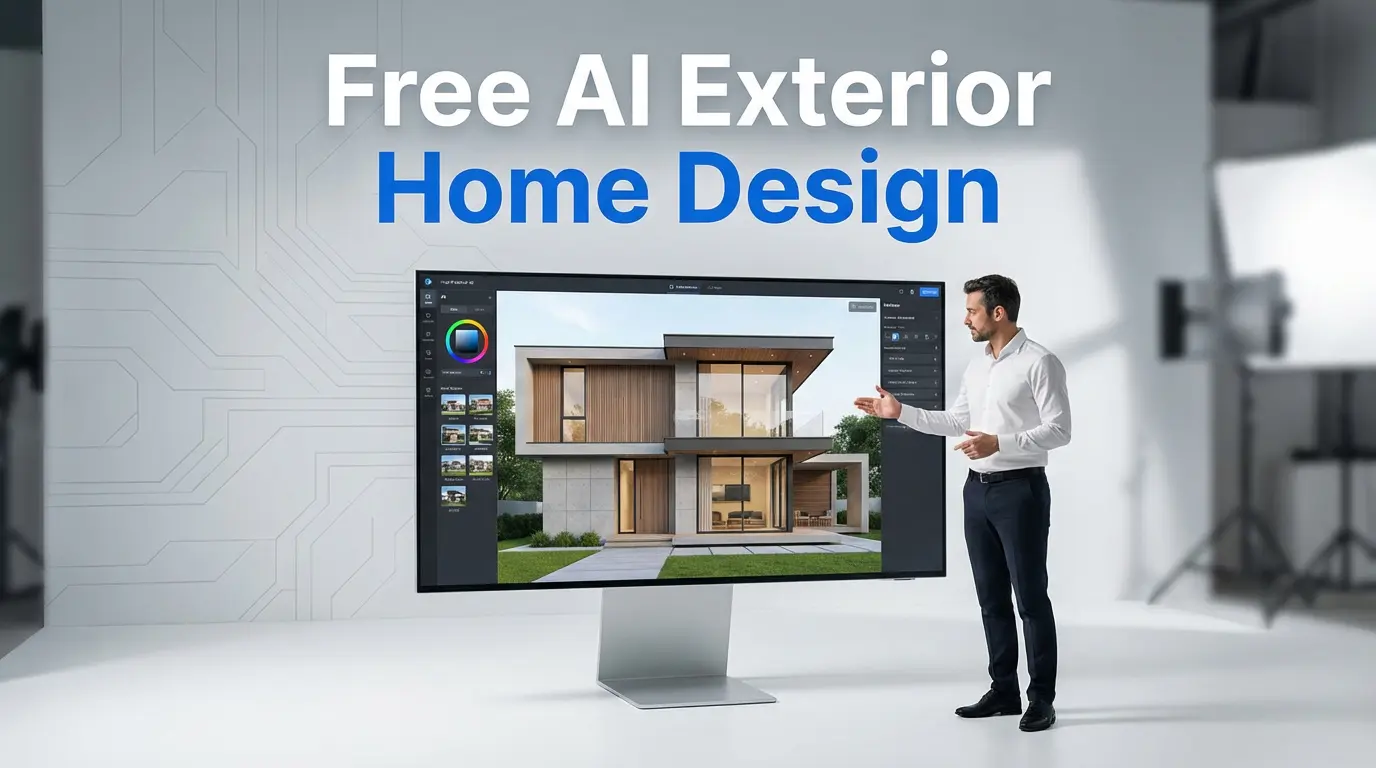
Looking for a way to give your house a fresh look without the massive architect fees? Explore how AI exterior home design free tools can help you visualize new siding, colors, and landscaping in minutes.
The Magic of AI in Exterior Home Renovation
We have all been thereâstaring at a faded front door or outdated siding, wondering if a dark charcoal or a classic slate blue would actually look good. Usually, this involves buying tiny paint samples or trying to squint at a 2-inch material swatch while holding it up against the wall. It is exhausting and, frankly, a bit of a guessing game.
The rise of AI exterior home design free software has changed the rules. Instead of relying on your imagination, you can now upload a photo of your actual house and let an algorithm do the heavy lifting. These tools act like a digital “try-on” room for your home, allowing you to swap out brick for stucco or add a wrap-around porch with a few clicks. It is not just about fun visuals; it is about making confident decisions before you spend a single rupee on contractors.
Whether you are preparing to sell and want to boost curb appeal or you have just moved in and want to make the place your own, these tools provide a low-risk starting point. You don’t need to be a tech genius or a professional designer to get started. All you need is a smartphone and a decent internet connection.
Why Homeowners Are Turning to Free AI Design Tools
Renovating the outside of a house is expensive. A mistake in choosing the wrong stone veneer or roof shingle color can haunt you for decades. This is exactly where free AI home exterior design software proves its worth. It bridges the gap between a vague idea and a concrete plan.
- Instant Visualization: You get to see the final result before the first nail is driven.
- Cost Savings: By narrowing down your choices online, you save hours of consultation time with professionals.
- Creative Exploration: Ever wondered if your ranch-style home could pull off a modern farmhouse look? Now you can find out in seconds.
- Better Communication: It is much easier to show a contractor a generated image than to try and explain “a sort of grayish-tan with wood accents.”
The Reality Check: What AI Can and Cannot Do
While these tools are incredible, it is important to keep your expectations grounded. Most free versions are excellent for cosmetic changes like paint, siding, and trim. However, they aren’t going to calculate the load-bearing requirements for a new second-story extension. Think of AI as your creative consultant, not your structural engineer.
Top AI Exterior Home Design Free Tools to Try Today
The market is currently flooded with options, but a few stand out for their ease of use and the quality of their renders. If you are just starting out, these are the platforms that generally offer a functional free tier or enough initial credits to get your project moving.
| Tool Name | Best Used For | Free Version Highlights |
|---|---|---|
| Luw.ai | Gardens and Facades | High-quality V2 engine for realistic textures. |
| HomeDesignsAI | Total Exterior Overhaul | Over 40+ styles including Mediterranean and Modern. |
| Paintit.ai | Color and Trim Changes | Very intuitive interface similar to a chat app. |
| VisualGPT | Quick Style Swaps | Fast generation based on simple text prompts. |
Each of these tools has its own “personality.” Some focus heavily on the architectural lines, while others, like Paintit.ai, are fantastic if you are specifically looking for AI house exterior design tools that help with color coordination and material sourcing from places like Amazon or IKEA.
How the AI Transformation Process Actually Works
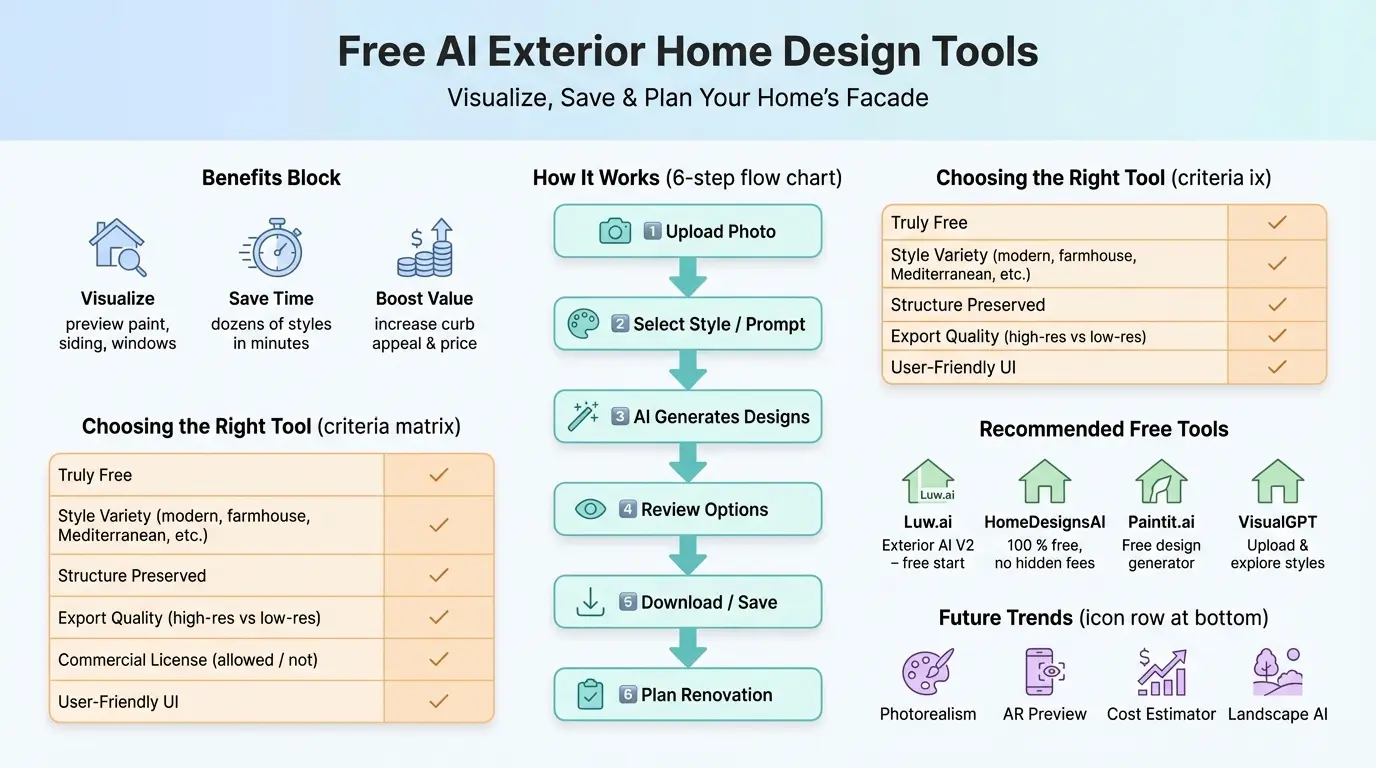
If you have never used an AI exterior design generator free of charge, the process is surprisingly straightforward. It usually follows a simple five-step loop that allows you to iterate until you find “the one.”
- The Capture: You start by taking a clear, high-resolution photo of your home. Daylight is your best friend here.
- The Upload: Drop the photo into the tool. Most will ask you to define the area (e.g., “Front View”).
- The Selection: You choose a style. You might pick “Contemporary” or “Colonial.”
- The Prompt: Some tools allow you to add specific text like “dark grey metal roof with white board and batten siding.”
- The Reveal: The AI processes the image and gives you several variations of your home with those new features applied.
The AI essentially “masks” your existing house and generates a new layer on top of it, keeping the basic skeletonâthe windows, doors, and rooflineâintact while swapping out the textures and colors.
Choosing the Right Style for Your Neighborhood
One common mistake people make when using an AI house exterior design tool is going too far away from the local aesthetic. While that neon purple door might look cool in a digital render, it might not go down well with the neighbors or the local planning committee.
When you are playing with these tools, try to stay within architectural families that make sense for your home’s bones. If you have a classic 1920s bungalow, use the AI to explore craftsman-style colors and stone porches rather than trying to force a glass-and-steel skyscraper look onto it. The goal is “enhanced,” not “unrecognizable.”
A Real-Life Example
I recently spoke with a homeowner in Ghaziabad who was frustrated with his home’s plain concrete exterior. He used a free tool to test out a combination of wood-textured louvers and stone cladding. By seeing the render first, he realized the wood accents needed to be vertical rather than horizontal to make the house look taller. This small digital discovery saved him from a very expensive mistake during the actual construction.
Key Features to Look for in a Design Tool
Not all software is created equal. When you are searching for AI exterior home design free options, look for these specific features to ensure you aren’t wasting your time:
- Structure Preservation: Ensure the AI doesn’t move your windows or doors to impossible places.
- Material Realism: Does the brick look like brick, or does it look like a blurry red blob?
- Landscaping Integration: A house look is incomplete without the yard. Good tools include options for shrubs, trees, and walkways.
- Lighting Variations: Can you see how the house looks at sunset or under porch lights?
The Growing Importance of Curb Appeal in 2026
In today’s real estate market, first impressions are almost entirely digital. Potential buyers see your home’s exterior on a screen before they ever set foot on the property. Using AI to refine your homeâs look can lead to a significant increase in property value. Even simple changes, like updating the trim color or adding modern house numbers, can make a dated property feel brand new.
By leveraging these free tools, you are essentially getting a head start on the competition. You can present a vision of “what could be” to potential buyers or simply enjoy the pride of living in the best-looking house on the block.
Step-by-Step Guide: Your First AI Redesign
Ready to jump in? Follow these tips to get the best results from your AI house exterior design tools on the first try.
1. Get the Lighting Right
Take your photo during the “golden hour” or on a slightly overcast day. Harsh midday sun creates deep shadows that can confuse the AI, leading to weird patches in your render.
2. Clear the Clutter
If possible, move cars out of the driveway and tuck away the garden hose. The cleaner the “canvas,” the better the AI can paint over it. If there is a giant tree blocking half the house, try taking photos from a few different angles.
3. Be Specific with Prompts
Instead of just saying “Modern,” try “Modern industrial style with black window frames, cedar wood siding accents, and a glass front door.” The more detail you provide, the less the AI has to guess.
Future Trends: What is Next for AI Design?
We are quickly moving toward a world where AI doesn’t just show you a picture; it gives you a shopping list. In the near future, you will likely be able to click on a siding material in your render and see the exact price per square foot at your local hardware store.
We are also seeing the beginning of Augmented Reality (AR) integration. Imagine walking out to your curb, holding up your phone, and seeing the new design overlaid on your actual house in real-time as you walk around. This level of detail was reserved for the most high-end architectural firms only a few years ago. Now, it’s increasingly accessible to anyone with a smartphone.
Conclusion
There is no reason to be intimidated by a home renovation project in 2026. The AI exterior home design free tools available today are a godsend for anyone who wants to explore their creative side without breaking the bank. From simple paint jobs to complete siding overhauls, these tools provide a safe, digital sandbox to play in.
So, go ahead and take a photo of your house. Upload it to one of the platforms we mentioned, like Luw.ai or HomeDesignsAI, and see what is possible. You might find a style you never thought would workâor realize that your house just needed a simple color refresh. In either case, you are one step closer to your dream home.
For more insights on how technology is changing the way we live and work, stay tuned to our latest updates.
Also Read: AI GIS applications: Boost Spatial Insights for Smarter Decisions in 2026
Frequently Asked Questions (FAQs)
Is there a truly free AI for home exterior design?
Yes, several tools offer a “free tier” with a set number of credits per day or month. While some might have watermarks or lower resolution, they are perfect for getting initial design ideas and visualizing styles without entering any credit card details.
Do I need a professional architect to use these tools?
No, these tools are designed specifically for homeowners and non-professionals. The user interfaces are usually “drag-and-drop” or simple text prompts. However, if you are planning to make structural changes like moving walls, you should still consult a licensed professional.
Can I see how new landscaping will look with AI?
Many modern AI design tools now include “landscaping and garden” modes. You can add virtual flower beds, trees, or new driveway pavers to see how they complement your home’s new exterior colors and materials, significantly boosting its overall curb appeal.
Will the AI design be 100% accurate for my renovation?
It is a highly accurate visual guide, but it is not a technical blueprint. The colors and textures can vary slightly depending on your screen settings and the actual building materials you purchase. Always use the AI render as a vision board for your contractor rather than a final plan.
How many photos of my house do I need?
Usually, a single, clear, straight-on photo of the front facade is enough to get started. However, taking photos from the side or back can help you visualize the entire property. The more clear and well-lit your original photo is, the more realistic the AI’s final design will be.