


Typeset AI custom font: Accelerate Design Speed and SEO in 2026
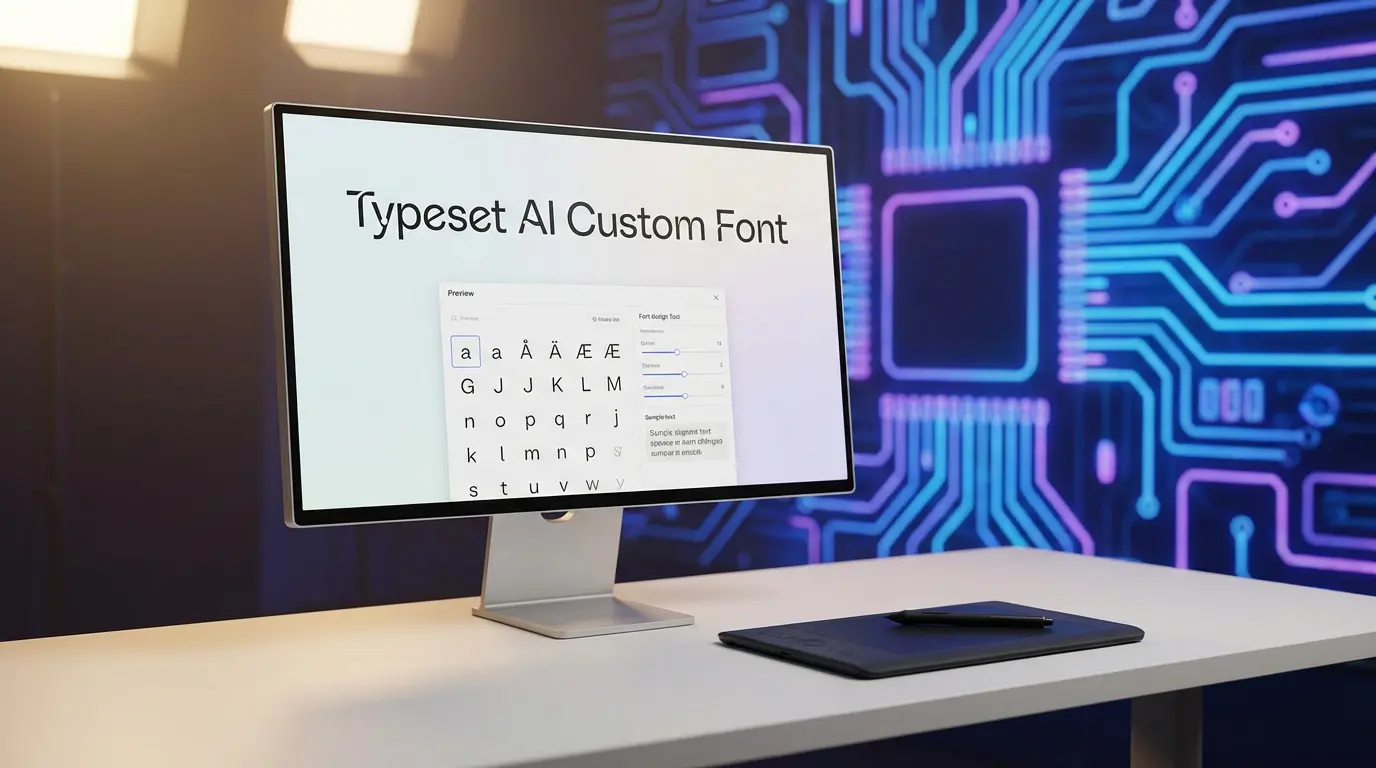
Explore the ultimate guide to creating a Typeset AI custom font to transform your digital presence. Learn how AI font creator tools and advanced typography software can streamline your design workflow, boost brand identity, and ensure professional results with minimal effort.
The Evolution of Digital Typography with Typeset AI
Typography has always been the silent ambassador of a brand. In the past, if you wanted a unique look, you either had to spend thousands of dollars on a custom-designed typeface or spend hours scrolling through generic libraries that everyone else was already using. It was a tedious balance between being original and being affordable. However, the rise of artificial intelligence has flipped the script, and tools like Typeset AI are at the forefront of this shift.
When we talk about a Typeset AI custom font, we aren’t just talking about picking a font from a list. We are talking about a system that understands the context of your work. Imagine writing a professional white paper and having your typography automatically adjust its weight and spacing to ensure maximum readability, or designing a high-energy social media graphic where the font itself feels “loud” and engaging. This isn’t just a dream anymore; it is the reality of modern design workflows.
The beauty of using an AI font creator is that it bridges the gap between technical skill and creative vision. You don’t need to be a master typographer to understand that certain fonts just don’t “feel” right together. The AI acts as a digital mentor, suggesting pairings and styles that align with your specific goals. It is about democratization—giving every creator the tools to look like a top-tier design agency without the overhead costs.
Understanding the Typeset AI Custom Font Ecosystem
At its core, Typeset AI is an intelligent design platform that treats typography as a dynamic element rather than a static one. Most people are used to “locking in” a font and then struggling to make the layout work around it. This platform reverses that relationship. The custom font capabilities allow for a fluid interaction between the text, the background, and the overall theme of the project.
The technology relies on sophisticated machine learning models trained on millions of successful design iterations. It looks at factors like kerning (the space between characters), leading (the vertical space between lines), and tracking to ensure that your message is not just seen, but felt. For a small business owner in Ghaziabad or a student in Manipal, this means professional-grade layouts are just a few clicks away.
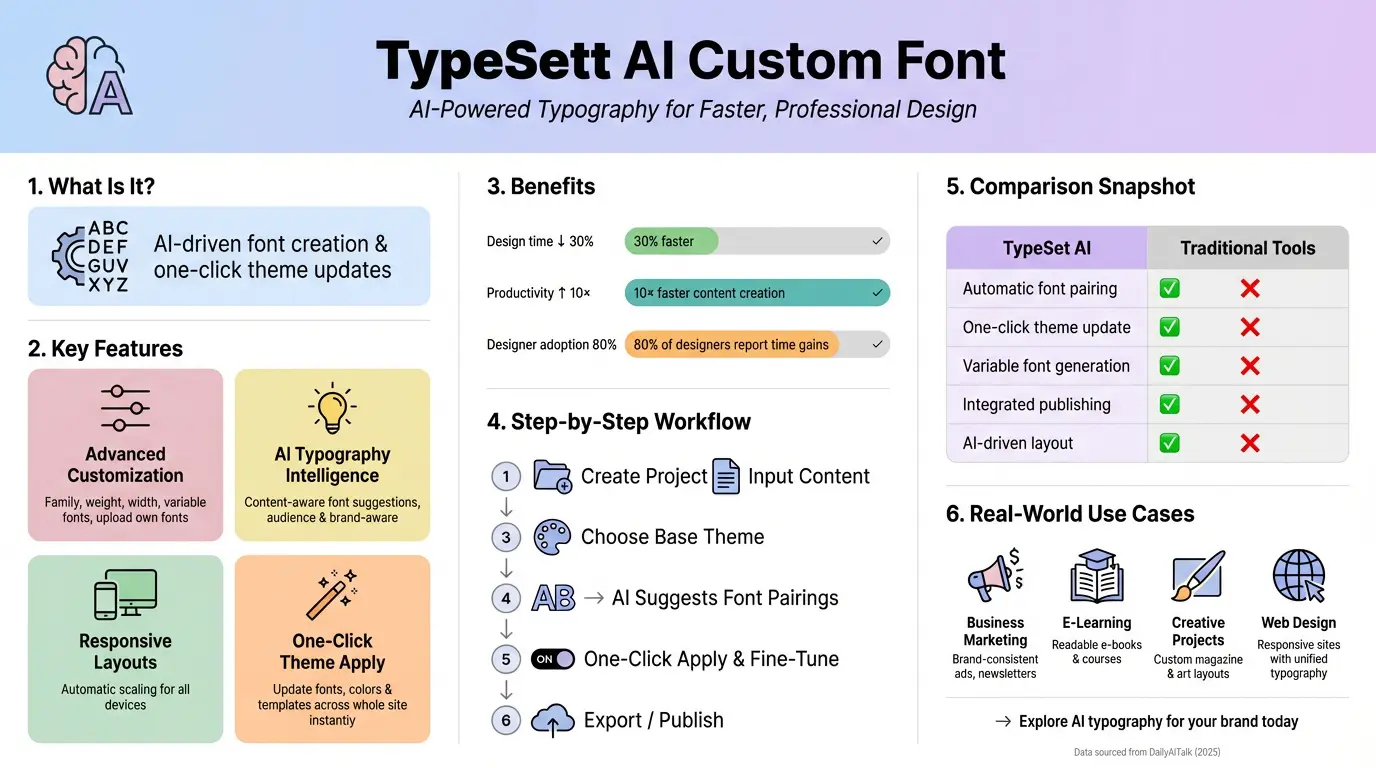
One of the most impressive aspects is the “one-click” theme update. If you decide halfway through a project that a serif font isn’t working for your brand, you don’t have to go through every slide or page manually. You update the theme, and the AI ensures the new font choice propagates correctly, maintaining the hierarchy and alignment you’ve already established. It is a massive win for productivity.
Why You Should Switch to an AI Font Creator
The shift toward AI-driven design isn’t just a trend; it is a response to the sheer volume of content we produce today. Whether you are running a blog like Shayari Metro or managing a corporate portfolio, speed is essential. Using a Typeset AI font creator gives you a competitive edge in several ways:
- Consistency Across Platforms: Maintaining the same visual identity on a website, a PDF, and a mobile app is notoriously difficult. AI ensures your typography remains stable and recognizable regardless of the medium.
- Accessibility by Default: The AI evaluates contrast ratios and legibility, helping you meet WCAG standards without needing a separate audit.
- Reduced Decision Fatigue: Instead of choosing from 1,000 fonts, the AI presents the best 5 based on your content’s mood.
- Future-Proofing: As variable fonts become the standard, AI tools are already equipped to handle the infinite scaling and weight options they provide.
I remember working on a project last year where we spent three days just debating font pairings for a landing page. It felt like a waste of creative energy. With modern typography software, that debate happens in seconds because you can see the results in real-time across your entire theme. It shifts the focus from “how do I make this look okay?” to “how do I make this impact my audience?”
Advanced Features of Typeset AI Typography Software
If you dig deeper into the settings, you’ll find that Typeset AI offers more than just basic replacements. It functions as a comprehensive AI typography software suite. One of the standout features is variable font generation. Unlike traditional fonts that come in “Regular,” “Bold,” and “Italic,” variable fonts allow you to slide between weights and widths with total precision.
This is particularly useful for responsive design. On a large desktop monitor, you might want a slightly wider, more authoritative heading. On a mobile device, that same heading might need to be condensed to prevent awkward line breaks. The AI manages these transitions automatically, ensuring your Typeset AI custom font looks intentional on every screen size.
Furthermore, the platform integrates with external libraries but also allows for private font hosting. If you have a proprietary brand font, you can upload it, and the AI will treat it with the same “intelligence” as its built-in options. It will suggest complementary colors and layouts that specifically highlight the unique characteristics of your custom typeface.
Step-by-Step Guide to Implementing Your Custom Font
Getting started doesn’t require a steep learning curve. Here is a practical approach to mastering the system:
- Define the Intent: Before touching the settings, decide if your project is meant to be authoritative, playful, or minimalist.
- Upload or Select: Go to the ‘Design and Style’ tab. You can either pick a high-performing AI-recommended pair or upload your own files.
- Adjust the Global Theme: Use the global settings to apply your font choice. This ensures that every
and
tag follows the same rules.
- Fine-Tune with AI Suggestions: Click on the ‘Optimize’ button. The AI will often suggest minor tweaks to line height or letter spacing that significantly improve readability.
- Preview and Export: Check the “Responsive” view to see how the typography holds up on mobile devices before finalizing.
A common mistake people make is over-complicating things. They try to use four different fonts in one document. The AI will usually nudge you back toward a two-font system—one for headings and one for body text—which is a hallmark of professional design.
Comparing AI Font Tools: What Sets Typeset Apart?
There are several tools on the market, from Adobe Fonts to specialized generators like Creative Fabrica’s AI tools. However, Typeset AI occupies a unique space because it isn’t just a font library; it is a layout engine. While other tools give you the “file,” Typeset gives you the “environment.”
| Feature | Traditional Font Tools | Typeset AI Custom Font |
|---|---|---|
| Selection Process | Manual Search | AI-Powered Recommendations |
| Theme Integration | Manual CSS/Formatting | One-Click Global Application |
| Responsiveness | Hard-coded sizes | Adaptive AI Scaling |
| Font Pairing | Trial and Error | Data-Driven Suggestions |
The table above highlights the primary shift from manual labor to automated intelligence. In a professional setting, time is the most expensive resource. By automating the technical side of typography, you free up hours for the actual content creation or business strategy.
Real-World Use Cases for AI-Generated Typography
Let’s look at how this applies in the real world. For an academic researcher, the goal is clarity. Using the Typeset AI custom font system, they can ensure that their complex data tables and citations are perfectly aligned and legible, which is critical for peer reviews. Platforms like SciSpace (Typeset.io) specifically cater to this by offering thousands of journal-ready templates.
On the other hand, a marketing manager might use the tool to create a “brand kit” that they can hand off to junior designers. By locking in the AI-optimized font settings, they ensure that no matter who creates the social media post, the brand identity remains unshakeable. It removes the “human error” factor where someone might accidentally use the wrong font weight or a slightly off-color.
Even for hobbyists, like someone running a poetry site or a personal blog, the AI provides a level of polish that was previously out of reach. It makes a simple blog post look like a curated digital magazine. The psychology of typography suggests that readers trust well-designed content more, and AI makes that trust easier to earn.
Best Practices for Maintaining Brand Voice
While the AI is powerful, you are still the director. To get the most out of your Typeset AI custom font, keep these tips in mind:
- Stick to a Hierarchy: Ensure your
tags are distinct from your body text. The AI helps, but you should verify that the visual weight makes sense.
- Watch Your Spacing: White space is your friend. Don’t crowd your custom fonts; let them “breathe” so the reader’s eye can move naturally.
- Test for Legibility: Just because a font looks cool doesn’t mean it is easy to read. Use the AI’s feedback on readability scores.
- Limit Bold Usage: Only use strong tags for truly essential terms. Over-bolding ruins the rhythm of the design.
Following these guidelines ensures that the technology serves your vision, rather than the other way around. A tool is only as good as the person wielding it, and with AI, you are wielding a very sharp tool indeed.
The Future of AI Typography: What to Expect in 2026
As we move further into 2026, we are seeing AI move toward “generative typography.” Instead of just choosing from existing fonts, we will soon be able to describe a font in text—”Give me a font that feels like 1950s neon signs but with a modern tech twist”—and the AI will generate that typeface from scratch. Typeset AI is already laying the groundwork for this level of customization.
We are also seeing deeper integration with psychological data. AI will be able to predict which fonts will lead to higher conversion rates for specific industries. For example, a financial SaaS might perform better with a specific weight of a sans-serif font that conveys “stability.” This data-driven approach to design is becoming the new gold standard for digital marketing and SEO.
Conclusion: Elevating Your Content Strategy
Embracing a Typeset AI custom font is about more than just aesthetics; it is about efficiency, accessibility, and professional branding. By leveraging the power of an AI font creator, you move away from the limitations of traditional design and into a world where your typography is as smart as your content. Whether you are a student, a researcher, or a business owner, these tools provide the clarity and impact needed to stand out in a crowded digital landscape.
The era of struggling with CSS and manual formatting is over. With the right typography software, you can focus on what truly matters: telling your story and engaging your audience. Start experimenting with these AI features today and watch your designs transform from “standard” to “standout.”
Frequently Asked Questions (FAQs)
What is a Typeset AI custom font?
It is a typography system within the Typeset platform that uses artificial intelligence to suggest, apply, and optimize unique font styles across your entire project, ensuring brand consistency and high readability with minimal manual effort.
Can I use AI font creator tools for commercial projects?
Most AI font creators and platforms like Typeset AI allow for commercial use, but it is always essential to check the specific licensing agreement for the base fonts you are modifying or the platform’s terms of service.
Does using a custom font affect my SEO?
Indirectly, yes. While search engines don’t “rank” you for your font choice, they do rank you for user experience. A clean, legible font improves time-on-page and reduces bounce rates, which are key SEO signals.
How does Typeset AI help with font pairing?
The platform uses machine learning to analyze the visual characteristics of thousands of typefaces. It then recommends pairings that have high contrast and harmony, taking the guesswork out of design for non-designers.
Is Typeset AI suitable for mobile-responsive designs?
Absolutely. One of its core strengths is adaptive typography, which automatically adjusts font sizes, weights, and spacing based on the device’s screen size to maintain a perfect reading experience on both desktop and mobile.
Also Read: SmartPicks AI Sports Betting Tipster: Boost Your Win Rate in 2026