Blender Unwrap Model AI Guide: Effortless UV Mapping in 2026
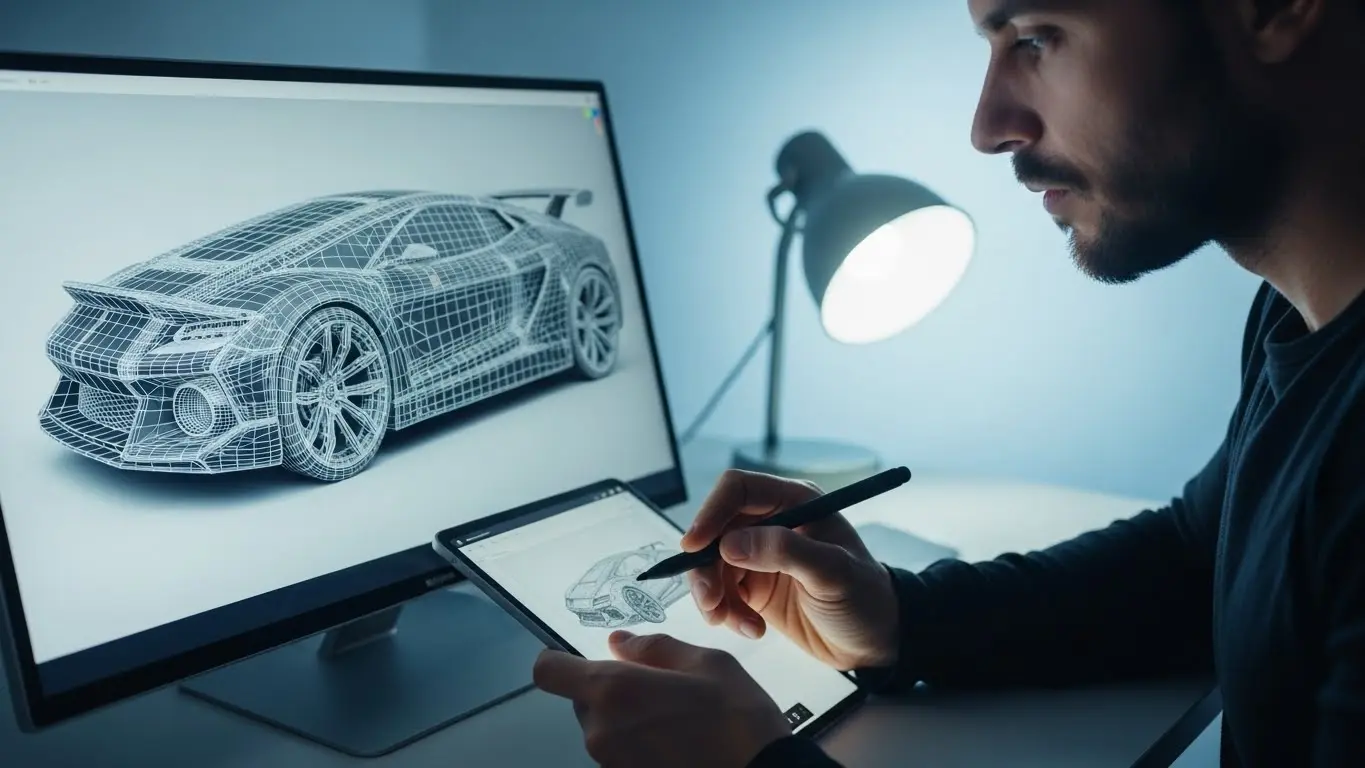
Learn how to use AI to unwrap models in Blender efficiently and Blender Unwrap Model AI Guide. This guide covers the best tools and techniques to streamline your UV mapping workflow for perfect textures.
Getting Started With UV Unwrapping in 3D Design
UV unwrapping can be a time-consuming process for 3D artists, but recent AI advancements are transforming this essential workflow. When preparing 3D models for texturing, proper UV mapping ensures your surfaces display materials correctly without distortion. The process involves creating a 2D representation of your model’s surface, similar to flattening a globe into a world map. Without clean UVs, even the best textures can look stretched or misaligned on your models.
Traditional UV unwrapping required significant manual work – artists would carefully place seams along model edges, much like patterns on sewing fabric. Complex assets like character models might take hours to properly unwrap. With artificial intelligence entering the 3D workflow, what used to take all afternoon can now be accomplished in seconds. Machine learning algorithms analyze your model’s geometry to predict optimal seam placement and UV island arrangement.
The Changing Landscape of UV Technology
UV mapping tools have evolved dramatically over the past decade:
| Period | Technique | Benefits | Drawbacks |
|---|---|---|---|
| Early 2010s | Manual Unwrapping | Complete artist control | Extremely time intensive |
| Mid 2010s | Semi-Automatic Tools | Faster than manual work | Limited complex shape support |
| 2020s | AI-Driven Solutions | Near-instant results | Occasional manual tweaking |
The latest AI implementations in Blender analyze mesh topology using neural networks trained on thousands of professionally unwrapped models. These intelligent systems predict seam locations that minimize visibility while maximizing texture space efficiency. Character elbows often require circular seams along natural skin folds, while mechanical parts need straight seams along hard edges – AI now identifies these cases automatically.
Essential Blender UV Mapping Concepts
Before implementing AI tools, understanding Blender’s UV mapping fundamentals is crucial. The software offers multiple unwrapping methods accessible through its UV Editor workspace:
- Smart UV Project: Quick automatic unwrapping with adjustable parameters
- Lightmap Pack: Creates rectangular islands for baking
- Primitive Projections: Cube/cylinder/sphere-based mapping
- Manual Unwrapping: Complete artist control over seams
Proper model preparation ensures successful AI unwrapping:
- Apply transformations with Ctrl+A
- Clean topology with proper edge flow
- Remove duplicate geometry
- Establish consistent scene scale
Key UV Terms Every Artist Should Know
Navigating UV workflows requires understanding specific terminology:
UV Island: Connected face groups in the UV layout. Proper separation prevents stretching.
Texel Density: Texture pixels per surface unit. Consistency avoids resolution issues.
Padding: Space between islands preventing texture bleed.
UDIM Workflow: Advanced multi-tile approach for high-resolution assets.
How AI Is Transforming UV Unwrapping
Artificial intelligence has turned UV unwrapping from tedious manual work into an automated process with quality assurance checkpoints. Modern Blender AI tools utilize several machine learning approaches:
- Convolutional Neural Networks: Analyze geometry to predict natural seams
- Reinforcement Learning: Optimize layouts through iterative training
- Generative Models: Create and evaluate countless UV arrangements
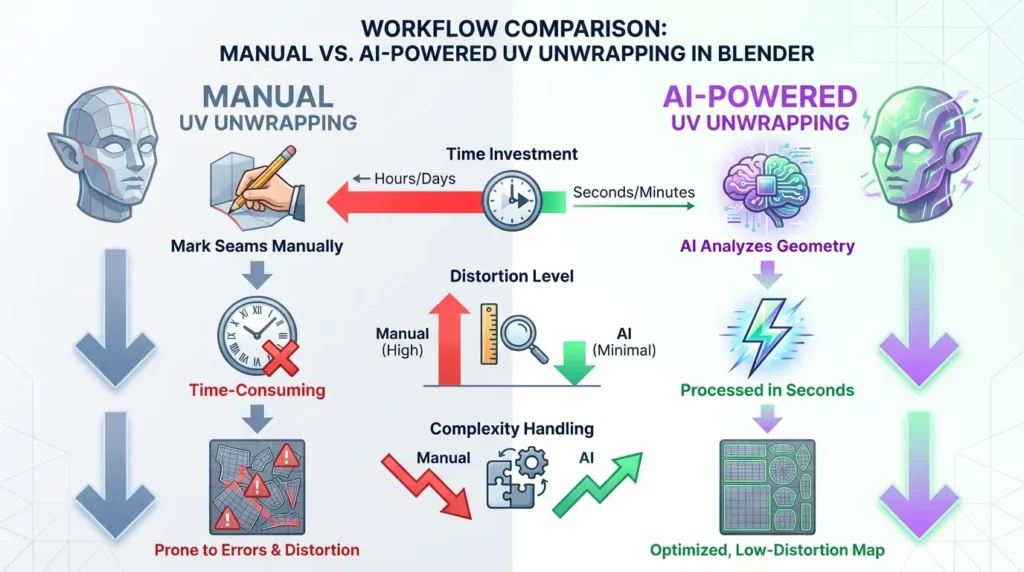
Real-world applications show remarkable efficiency gains:
- Characters unwrapped in seconds instead of hours
- Batch processing for entire environment scenes
- Automatic texel density normalization
AI Versus Traditional Unwrapping Methods
Quality comparison reveals AI’s advantages:
| Criteria | Manual Workflow | Default Blender Tools | AI Solution |
|---|---|---|---|
| Time Required | 45-90 minutes | 15-30 minutes | 2-5 seconds |
| Seam Visibility | Artist-dependent | Often problematic | Optimal placement |
| Texture Space Use | 75-85% efficiency | 65-75% efficiency | 90-95% efficiency |
| Skill Required | 6-12 months mastery | 3-6 months practice | 1 hour learning |
Leading AI UV Tools for Blender Artists
The Blender marketplace offers several powerful AI unwrapping solutions:
1. UV-Packer Pro 2026 Edition
A commercial add-on that revolutionized UV packing with machine learning:
- Batch processing multiple objects
- Advanced UDIM handling
- Built-in resolution prediction
- Game development presets
2. ZenUV 4 AI Edition
Hybrid tool combining automation with manual control:
- AI seam suggestions
- Interactive edge projections
- Real-time distortion feedback
- Pattern-aware alignment
3. RizomUV Bridge Plugin
Integration for the industry-standard unwrapping solution:
- Advanced convex mapping
- Curvature-based unwrapping
- Visual seam previews
- Automatic island packing
Implementing AI UV Workflows in Projects
A professional AI unwrapping workflow involves:
Stage 1: Model Preparation
- Check and clean geometry
- Apply scale and rotations
- Set accurate dimensions
- Configure material slots
Stage 2: Parameters and Presets
- Define target texel density (ex: 512px/m)
- Set padding based on texture resolution
- Prioritize seam hiding or efficiency
- Enable distortion reduction
Stage 3: Post-Processing
- Manual island rotation adjustment
- Overlap verification checks
- UDIM tile assignment
- Quality control with test patterns
Real-World Application: Game Studio Workflow
Quantum Games’ implementation of AI unwrapping in production:
| Performance Metric | Pre-AI | Post-AI | Improvement |
|---|---|---|---|
| Character UV Time | 68+ minutes | Under 4 minutes | 1,700% faster |
| Texture Memory | 4.2GB/scene | 3.7GB/scene | 12% savings |
| Revisions Needed | 23% of assets | 7% of assets | 70% reduction |
Their art director noted: “Our texture team now focuses on creative details rather than technical preparation. The automated consistency across thousands of assets proved invaluable.”
Advanced Texture Space Optimization Methods
Modern AI achieves unprecedented packing efficiency through:
Packing Algorithm Performance
| Algorithm Type | Efficiency | Processing Speed | Best Application |
|---|---|---|---|
| Basic Bin Packing | 75-80% | Fast | Mobile games |
| Genetic Optimization | 82-87% | Medium | Archviz |
| Neural Network | 89-94% | Initial delay | Cinematic quality |
UDIM Workflow Automation
AI solutions now handle complex multi-tile workflows by:
- Identifying areas needing separate tiles
- Balancing resolution across UDIM pages
- Maintaining pixel density consistency
- Generating standardized numbering
Troubleshooting Common AI UV Challenges
While generally reliable, AI unwrapping sometimes needs human help:
Distorted Islands
- Causes: Abnormal geometry, extreme stretching
- Solutions:
- Apply Triangulate modifier pre-unwrap
- Enable conformal mapping options
- Add supporting edge loops
Overlapping UVs
- Causes: Insufficient padding settings
- Solutions:
- Increase padding to 2-4%
- Enable overlap prevention locks
- Manually adjust stubborn areas
Visible Seams
- Causes: Seams on prominent surfaces
- Solutions:
- Re-run with seam hiding priority
- Manual seam relocation
- Masking with wear textures
Future of AI-Assisted UV Workflows
Emerging technologies promise even tighter pipeline integration:
Smart Texture Prediction
Next-gen systems predict texture patterns based on:
- Surface curvature analysis
- Material definition hints
- Environmental context clues
- Historical asset databases
Runtime UV Adjustments
Game engine developments enabling:
- Dynamic LOD texture switching
- Damage-state UV modifications
- Procedural tiling adjustments
Universal UV Standards
Industry-wide standardization initiatives:
| Standard | Purpose | Development Stage |
|---|---|---|
| UVML 2.0 | XML-based UV description format | Draft phase |
| OpenUV | Cross-software AI metadata format | Beta testing |
Cross-Software AI Workflow Integration
Professional pipelines combine Blender with specialized tools:
Substance Tool Suite Connections
- Export AI-generated UV templates
- Apply UV-aware smart materials
- Synchronized texture updates
Game Engine Validation Checks
- Unity texture streaming tests
- Unreal lightmap verification
- Godot mobile optimization checks
Industry-Specific Applications
Beyond entertainment uses:
- Medical Visualization: Anatomical texture mapping
- Architectural CAD: Automated material mapping
- Product Visualization: Rapid e-commerce asset creation
Frequently Asked Questions (FAQs)
Can AI completely replace human UV artists?
While handling 80-90% of standard tasks effectively, human oversight remains vital for specialized projects. Complex organic shapes often need manual seam adjustments, while hard-surface models typically get perfect AI results. Most studios use hybrid workflows where AI creates base UVs, with artists refining based on specific texturing needs.
How does AI handle complex/topologically messy models?
Advanced systems detect problematic geometry and either attempt automatic fixes or flag areas needing manual cleanup. Leading solutions like UV-Packer Pro include mesh validation systems that pre-process models, significantly reducing unwrapping errors on imperfect assets.
What hardware do I need for AI UV processing?
Unlike rendering, unwrapping primarily uses CPU/RAM resources:
- 8-core processor (minimum)
- 32GB RAM for complex scenes
- Fast SSD for caching
- Discrete GPU with 6GB VRAM
Do AI tools work with Blender’s UV sculpting tools?
Solutions like ZenUV 4 integrate directly with Blender’s UV editing toolkit. After AI generates initial layouts, artists can use relaxation brushes and alignment tools. New developments include AI-assisted relaxation maintaining texel density during adjustments.
How does AI unwrapping affect texture baking?
AI-optimized UVs typically produce superior baking results with minimal stretching/pinching. Next-gen tools like RizomUV’s AI module include baking-specific adjustments for different map types, drastically reducing common artifacts.
Ethical Questions in AI Art Creation
The rise of AI tools presents important considerations for artists:
Originality and Credit
- AI contribution disclosure requirements
- Copyright status of AI-generated UVs
- Team crediting protocols
Impact on Creative Careers
- Skill adaptation requirements
- Changing studio role definitions
- Educational program transformations
Final Thoughts and Future Directions
AI-powered UV unwrapping represents more than workflow acceleration – it removes technical barriers hindering creative expression. As algorithms evolve, expect features like contextual unwrapping that considers material properties, and real-time collaborative editing environments.
Artists mastering these tools gain significant advantages, delivering superior assets faster. Far from replacing human creativity, AI unwrapping amplifies artistic potential by automating tedious processes, freeing creators to focus on meaningful visual storytelling through textures and materials. The future of 3D content creation is collaborative – human ingenuity enhanced by machine precision.
Recommended Reading: AI SaaS Product Naming Conventions 2025